

Firewall Installation for Pattaya, Chonburi & Rayong
In the digital era where technology plays a vital role in daily life, data security becomes critically important for businesses of all sizes. Cyber-threats such as viruses, ransomware, and hacker attacks are increasingly serious risks to your business’s vital information. If data is leaked, the impact to your business’s reputation and trustworthiness can be considerable.
A firewall system functions as a protective barrier that intercepts unauthorized access to your network, inspecting and filtering all inbound and outbound traffic. It effectively protects against attacks such as viruses, malware, and hacker intrusion.
If you’re looking to install a firewall system, we provide on-site assessment and free consultation.
Contact us via LINE @Nicesystem or call 033-265-438/ 096-246-232-4.
Index
-
Types of Firewall
-
Reasons for Installing a Firewall
-
Firewall Installation Steps
-
Firewall Maintenance
Types of Firewall
Choosing the right firewall for your business is a key step in strengthening network security. Because there are many types and models of firewalls, understanding the differences helps you select properly.
1. Packet-Filtering Firewall
A basic firewall that works by inspecting packets entering or exiting the network according to configured rules (such as IP address, port number, or protocol). If a packet doesn’t comply with the rule set, access is denied or blocked.
Pros: Easy to use and manage, minimal resource consumption.
Cons: Limited attack protection since it can inspect only basic packet information, cannot analyse content inside the packets.
2. Stateful Inspection Firewall
This firewall tracks the state of all network connections. When a connection starts, data passing through is noted as a state, and new connections may be allowed or blocked based on that state.
Pros: More detailed inspection than packet-filtering, better at defending against complex attacks.
Cons: Requires more resources and is slower than packet-filtering firewalls.
3. Proxy Firewall (Application-Level Gateway)
A proxy firewall sits between the user and the internet. It inspects application-level data (for example HTTP, FTP, DNS) by acting as an intermediary.
Pros: Provides very detailed inspection of data contents, can block application-level vulnerabilities.
Cons: Slower performance, requires more resources, may impact network efficiency.
4. Next-Generation Firewall (NGFW)
NGFW combines traditional firewall functions (packet filtering, stateful inspection) with advanced capabilities, such as detection of zero-day attacks or advanced persistent threats (APT).
Pros: Detects and stops a wide variety of threats (application-based filtering, malware detection, behavioural network analysis). Can integrate with IDS/IPS.
Cons: High resource use, higher cost, may require specialist skills to configure and manage.
5. Cloud-Based Firewall (Firewall-as-a-Service – FWaaS)
A cloud-based firewall service that requires no local hardware or software installation by the user. It filters traffic to cloud resources or network assets from the cloud provider.
Pros: No additional hardware investment, scalable, continuous security updates by provider.
Cons: Depends heavily on internet connectivity, potential latency issues, trust in provider’s security.
6. Unified Threat Management (UTM)
UTM is a firewall solution that combines multiple security functions in one device—e.g., virus filtering, intrusion detection/prevention, VPN, web filtering.
Pros: Comprehensive security in a single appliance, suitable for small to medium businesses.
Cons: May deliver less performance than specialised devices, management can become complex when multiple functions are activated.

Reasons for Installing a Firewall
A firewall is one of the key tools for securing a business network, especially in an age where digital connectivity and data are vital. Whether your business is small or large, installing a firewall helps you defend against many threats. Here are key reasons:
1. Protect against external attacks
Cyber-attacks such as DDoS or brute-force may cause network outages or critical data theft. A firewall acts as the first line of defence for unwanted access to your network and reduces the chance attackers penetrate your system.
Examples of threats a firewall helps prevent:
-
Port scanning: Hackers scan ports for vulnerabilities, which a firewall can block.
-
Malware and ransomware: A firewall examines access attempts from untrusted sources, reducing the chance of malware spreading in your network.
2. Control internal network access
Controlling internal user or device access is another key function of a firewall. You can define rules to allow or restrict access to certain resources or servers within the network—e.g., prevent general staff from accessing confidential data.
3. Prevent data loss or leakage
Data is one of your business’s most valuable assets. Protecting it from loss or leakage is critical. A firewall helps prevent unauthorized data export—such as blocking the transfer of sensitive data to untrusted websites or hacker servers. Data loss can result not just from external threats, but internal policy violations.
4. Maintain business continuity
Modern business operations rely on network systems and continuous internet connectivity. Cyber-attacks may lead to system outages or unrecoverable damage. A firewall reduces the risk of system failure and supports uninterrupted business operations.
Impacts of downtime:
-
Financial losses: If systems stop, services cannot be delivered, leading to lost revenue and customers.
-
Reputation damage: If your business suffers a hack or customer data leak, your brand’s reputation may suffer long-term harm.
5. Compliance with laws and regulations
Businesses, especially in sectors such as finance, healthcare, or education handling sensitive data, must comply with data-protection regulations (e.g., GDPR, HIPAA). Installing a firewall is part of meeting those security standards and protecting personal data of customers and users. Non-compliance may result in legal penalties or high fines.
6. Defend against advanced threats
Cyber-threats continually evolve. Hackers adopt new techniques and tools. NGFWs or modern firewall systems can detect and respond to zero-day exploits and APTs by analysing suspicious network behaviour.
Examples:
-
APT (Advanced Persistent Threat): Ongoing, targeted attacks aimed at stealing crucial data.
-
Zero-Day Exploit: Attacks leveraging newly discovered vulnerabilities with no patch yet.
7. Reduce IT-team workload
An effective firewall reduces the burden on your IT team in network management and threat monitoring. Using a firewall with automation or real-time threat detection allows your IT personnel to focus on higher-value tasks instead of constant network vigilance.
Firewall Installation Steps
Correct installation of a firewall is essential for building a robust network defence. The following steps will help you install and configure a firewall effectively.
1. Choose a firewall suitable for your business
Start by selecting the firewall type that fits your needs—considering business size, data sensitivity, budget. Examples: small business may select UTM; high-risk business may require NGFW.
2. Plan deployment and define security policy
Once the firewall is selected, plan installation and define the security policy. Determine who can access the network and resources, define external services (web server, mail server), apply “least privilege” principle: access only what is needed.
3. Install hardware or software firewall
Depending on the type you choose:
-
Hardware firewall: A physical device placed between your router and internal network to filter all traffic. Configure IP addresses and network settings.
-
Software firewall: Installed on servers or PCs within your network; set rules for ports and protocols.
4. Configure network zones
Most firewalls support network zoning—segmenting traffic into internal, external, and DMZ (demilitarised zone) segments.
Benefits of zones: reduce risk of external users accessing critical internal resources, allow limited external access to public-facing servers without exposing your entire network.
5. Define firewall rules
After network zones are defined, establish firewall rules to control packet flows between zones.
Examples of rules:
-
Permit only necessary ports, such as HTTP (80) or HTTPS (443) for a web server in your DMZ.
-
Block connections from suspicious IPs or unauthorized sources.
-
Filter protocols: disable FTP or Telnet if unsafe.
6. Enable additional security features
Modern firewalls include extra security functions: web filtering, malware protection, intrusion prevention (IPS). These enhance your network security.
Recommended features:
-
VPN for secure remote access
-
IDS/IPS to detect/prevent intrusions
-
Application control to block or permit specific apps which might pose threats
7. Test the installation and operation
After configuring, test that the firewall works as expected and protects against threats. Methods include:
-
Verifying rule enforcement by testing access from inside and outside the network
-
Conducting penetration testing to simulate attacks and confirm defence capability
-
Reviewing logs to confirm blocked access or attempted breaches
8. Ongoing maintenance and updates
Maintaining your firewall ensures that it remains effective and capable of protecting against new threats. Steps include:
-
Apply security patches when issued
-
Regularly review logs to detect suspicious activity or attempted attacks
-
Periodically review and adjust rules when your network, devices or services change
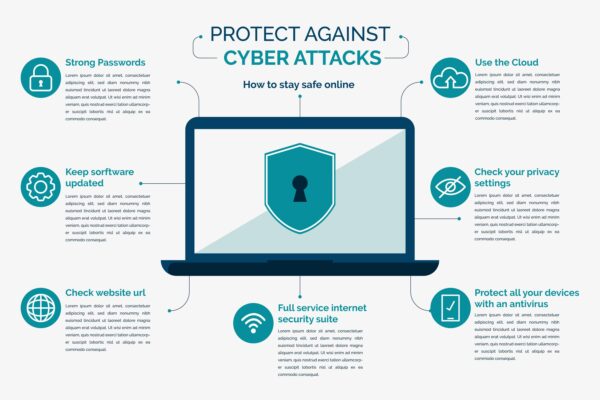
Firewall Maintenance
Maintenance is a crucial step for network security. A firewall does not work adequately if installed and then forgotten; consistent upkeep is necessary due to evolving threats.
1. Regular software and firmware updates
Keeping firmware up to date ensures the system can protect against newly discovered vulnerabilities.
Best practices:
-
Apply security patches when the vendor issues an alert
-
Monitor manufacturer website or notifications for updates
-
Plan updates during low-traffic periods to minimise disruption
2. Regular log monitoring
Firewalls generate logs of network access and internal actions. Reviewing logs helps identify abnormal behaviour or attacks early.
Things to monitor:
-
Repeated blocked access attempts: may indicate persistent intrusion attempts
-
Suspicious behaviour: unexpected connections from unknown IPs or open ports
-
System performance: ensure filtering and access control operate correctly
3. Review and refine firewall rules
Initial rule sets may become outdated as the network expands or changes. Regularly reviewing and refining rules ensures the firewall continues to operate effectively.
Recommendations:
-
Ensure unnecessary ports or protocols are closed
-
Adjust access control according to user roles or required services only
-
Add new rules if emerging threats or suspicious behaviour are detected
4. Configuration backup
Backing up firewall configuration is key. If the system is compromised or misconfigured, backup enables rapid recovery, reducing downtime and risk.
Best practice:
-
Have automatic scheduled configuration backups (weekly/monthly)
-
Store backups securely, both internally and externally
-
Periodically verify backup integrity
5. Performance and security testing
After some operational time, test for resilience and performance. Penetration testing can simulate real attacks; test that network traffic can be handled efficiently under load.
Testing benefits:
-
Identify latent vulnerabilities not previously detected
-
Assess whether firewall handles heavy traffic or malware/DDoS scenarios without slowing network
6. Monitor and manage digital certificates
If your firewall leverages digital certificates (for example SSL inspection), ensure certificates remain valid and not expired. Expired certificates may disable encrypted traffic inspection or create vulnerabilities.
7. Training and user management
Effective firewall deployment also depends on correct user and administrator behaviour. Training staff and administrators in firewall management and threat awareness reduces internal risk.
Training should cover:
-
Proper firewall configuration and management for administrators
-
Recognising suspicious network behaviour and responding
-
Educating general users on safe network practices (e.g., avoiding phishing emails)
8. Network performance monitoring
Using a firewall may impact network performance if too many filters or heavy inspection rules are applied. Continual monitoring helps ensure performance remains acceptable and allows tuning of rule sets and features.
Tools and checks:
-
Network traffic analytics to monitor load and unusual traffic
-
Latency and throughput tests to ensure acceptable user experience