

Firewall installation in Pattaya, Chonburi and Rayong
In the digital age, when technology plays a key role in everyday life, data security is something businesses of every size must take very seriously. Cyber threats such as viruses, ransomware and hacker attacks are a serious danger to important business data. If this data leaks, it can badly damage the reputation and credibility of your business.
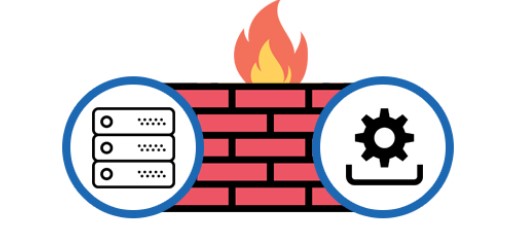
A firewall is like a protective wall that blocks unauthorised access to your network from outside. It inspects and filters all incoming and outgoing traffic, helping to protect effectively against viruses, malware and hackers.
Want a firewall installed? We assess your site and advise free of charge. Contact us on LINE @Nicesystem or call 033-265-438, 096-246-2324
Contents
1. Types of firewall
2. Why you need a firewall
3. Firewall installation steps
4. Firewall maintenance
Types of firewall
Choosing the right firewall for your business is an important step in strengthening network security. Because there are many types and forms of firewall, understanding the differences will help you make the right choice.
1. Packet-Filtering Firewall
A packet-filtering firewall is a basic firewall that inspects data packets entering or leaving the network against set rules, such as filtering by IP address, port number or protocol. If a packet does not match the rules, the system rejects or blocks it immediately.
Advantages:
- Easy to use and simple to manage
- Uses few resources, since inspection needs little processing power
Disadvantages: - Limited protection, because it can only check basic information in each packet
- Cannot analyse the content inside packets, so it cannot stop complex attacks
2. Stateful Inspection Firewall
A stateful inspection firewall can track the state of every connection on the network. When a connection starts, the traffic is recorded as a state, and new connections are allowed or blocked based on that state.
Advantages:
- Inspects connections in more detail than a packet-filtering firewall
- Better protection against complex attacks
Disadvantages: - Needs more resources to inspect and record connection states, so it is slower than a packet-filtering firewall
3. Proxy Firewall (Application-Level Gateway)
A proxy firewall, also called an application-level gateway, acts as an intermediary (proxy) between users and the internet, so users’ connections to outside servers must pass through it first. It inspects data at the application level, such as HTTP, FTP or DNS.
Advantages:
- Can inspect and control data in more detail, such as the content and format of incoming requests
- Protects against attacks that exploit application-level vulnerabilities
Disadvantages: - Slower than other firewalls, because it inspects packet content in detail
- Uses more resources and may affect network performance
4. Next-Generation Firewall (NGFW)
A next-generation firewall (NGFW) combines the abilities of older firewalls, such as packet filtering and stateful inspection, with the ability to detect and block more complex attacks, such as zero-day attacks and advanced persistent threats (APT).
Advantages:
- Detects and blocks a wide range of threats, with application-based filtering, malware detection and network behaviour analysis
- Can be combined with other systems, such as an intrusion detection system (IDS) and intrusion prevention system (IPS)
Disadvantages: - Needs more resources and costs more than other firewall types
- May need expertise to configure and maintain
5. Cloud-Based Firewall (Firewall as a Service – FWaaS)
A cloud-based firewall, or firewall as a service (FWaaS), is a firewall delivered from the cloud, with no hardware or software to install yourself. It can inspect and filter data coming into cloud systems or network resources.
Advantages:
- No extra hardware investment, and it scales as needed
- Security is updated and improved continuously by the cloud provider
Disadvantages: - Depends heavily on your internet connection, and may be slow if the connection is unstable
- You must trust the cloud provider’s security and ability to protect your data
6. Unified Threat Management (UTM)
Unified threat management (UTM) combines several types of security in one device, such as virus filtering, intrusion detection, VPN and web filtering.
Advantages:
- An all-in-one solution that meets several security needs in a single device
- Suits small and medium businesses that need several layers of protection
Disadvantages: - Performance may be lower than using separate dedicated tools, such as a separate firewall and antivirus system
- Management becomes more complex when many functions are enabled at once

Why you need a firewall
A firewall is one of the most important network security tools for businesses and organisations of all sizes, especially now that data and digital connections matter so much. Whether your business is small or large, a firewall helps protect effectively against many threats. Here is why businesses should prioritise installing one.
1. Protection from outside attacks
Cyber attacks such as DDoS (distributed denial of service) or brute force attacks can take down a business network or lead to the theft of important data. A firewall acts as the “first line of defence”, inspecting and blocking unwanted connections from outside the network and reducing the chance that attackers get in.
Examples of outside attacks a firewall helps prevent
- Port scanning: hackers scan ports to look for weaknesses in the network, but a firewall can block these suspicious connections.
- Malware and ransomware: a firewall checks access from untrusted sources, reducing the chance that malware spreads into the network.
2. Control of access within the network
Controlling what users inside the network can access is another key job of a firewall. You can set usage rules and control connections from internal users or devices, such as allowing or restricting access to certain data or internal servers.
Access control also reduces the risk of important data being accessed without permission, for example preventing general staff from accessing confidential company information.
3. Prevention of data loss or leaks
Data is a business’s most valuable resource, so protecting it from attacks or leaks is essential. A firewall helps stop unauthorised data from being sent out of the network, for example preventing important data from being sent to untrusted websites or hackers’ servers.
Data loss does not only come from outside threats; it can also come from leaks inside the organisation. A firewall can also help prevent accidental data transfers or breaches of internal security policy.
4. Business continuity
Businesses today rely on their network and internet connection working continuously. Cyber attacks can cause problems such as temporary shutdowns or even damage that is hard to recover from. A firewall helps block unsafe access and reduces the chance of the system being attacked and going down, so the business can keep running smoothly.
The impact of system downtime
- Financial loss: when systems stop, the business cannot operate or serve customers, which can mean lost customers and revenue.
- Reputational damage: if a business is attacked or customer data leaks, its reputation can be badly hurt, with long-term effects.
5. Compliance with laws and regulations
Many businesses, especially in industries handling sensitive data such as finance, health or education, must comply with data security laws and regulations, such as the GDPR (General Data Protection Regulation) in Europe or HIPAA (Health Insurance Portability and Accountability Act) in the United States. Installing a firewall is part of meeting these standards and requirements to protect the personal data of customers and users.
Failing to meet security requirements can expose a business to legal penalties, including lawsuits or heavy fines.
6. Protection against sophisticated intrusions and new threats
Cyber threats keep evolving, and hackers use new techniques and tools to break into systems. Next-generation firewalls (NGFW) can do more than older firewalls, inspecting network traffic at the application level and providing malware protection, intrusion detection (IDS) and intrusion prevention (IPS).
Examples of new threats a firewall must handle
- Advanced persistent threats (APT): complex, sustained attacks aimed specifically at stealing important data from an organisation.
- Zero-day exploits: attacks that use newly discovered vulnerabilities that have not yet been patched. An NGFW can detect abnormal behaviour and block these attacks.
7. Less work for the IT team
An effective firewall reduces the IT team’s workload in maintaining the network and preventing threats. A firewall with automated settings or real-time threat detection lets the IT team focus on other important work instead of watching the system all the time.
A good firewall helps you improve how you work and manage systems, reduces the chance of serious incidents and cuts the time needed to fix problems.
Firewall maintenance
Firewall maintenance is an important step in keeping the network safe from threats and working efficiently at all times. A firewall is not a device you can install and then leave alone. Network security needs regular maintenance to keep up with ever-changing threats.
1. Regular software and firmware updates
Updating the firewall is essential to make sure it still protects against new threats. When new vulnerabilities are found, the manufacturer releases patches or firmware updates to fix them and add new features. Without updates, the system may be open to attack through unfixed vulnerabilities.
Good practice
- Install security patches when the manufacturer announces them
- Check the manufacturer’s website or system notifications for new updates
- Schedule updates at suitable times, such as when few people are using the network, to minimise disruption
2. Regular log reviews
A firewall creates logs recording access and activity on the network. These logs help you spot abnormal behaviour or possible attacks. Reviewing them regularly lets you identify and deal with problems promptly.
What to check in the logs
- Blocked access attempts: if there are repeated attempts to access unauthorised resources, investigate where they come from.
- Abnormal behaviour: such as connections from untrusted IPs or the use of ports that should not be open.
- System performance: check that filtering and access control work as configured.
3. Reviewing and updating firewall rules
The filtering rules set at the start may not be enough as the network grows or changes. Reviewing and updating them regularly keeps the firewall working effectively, protecting against threats and reducing risk.
Tips for updating rules
- Make sure no unnecessary ports or protocols are open, as they could give hackers a way in
- Update access control so users and applications get only the access they need
- Add new rules when network monitoring reveals threats or suspicious behaviour
4. Configuration backup
Backing up the firewall configuration is an important part of maintenance. If the firewall fails or an attack damages its settings, a backup lets you restore it quickly, reducing downtime and improving network security.
Backup guidelines
- Set the firewall to back up its configuration automatically at set intervals, such as weekly or monthly
- Store backups in a safe place, possibly both inside and outside your network
- Check the integrity of backups regularly
5. Regular performance and security testing
After the firewall has been in use for a while, carry out penetration testing to simulate real attacks and check whether the firewall can stop them, and test whether it can handle your network traffic efficiently.
Benefits of testing
- Identify vulnerabilities that may not have been found yet, so they can be fixed straight away
- Test protection against new threats such as malware, ransomware or DDoS attacks
- Check that the firewall does not slow the network too much under heavy use
6. Checking and managing digital certificates
If your firewall uses digital certificates for encryption, such as SSL inspection to filter encrypted traffic, check that the certificates are still valid and have not expired. If a certificate expires, filtering of encrypted traffic may stop working, or a weakness may open that lets attackers exploit insecure encryption.
7. Training and user management
Firewall security does not depend on configuration alone; it also depends on users using the system correctly. Giving staff and administrators an understanding of how the firewall works and how to protect themselves from threats reduces the chance of problems on the network.
What training should cover
- Correct firewall configuration and management for administrators
- Spotting suspicious behaviour on the network and how to respond
- Teaching general users to use the network safely, such as watching out for phishing emails
8. Network performance monitoring
A firewall can affect network performance if too many filtering rules or extra security features are enabled. Monitoring network performance regularly lets you tune the settings so the firewall does not slow the network down.
Monitoring tools
- Network traffic analysis tools, to see usage volumes and abnormal traffic
- Checking latency and network connection speed
Firewall installation steps
Installing a firewall is a key step in protecting your business or organisation’s network. A correct installation helps block cyber threats and reduces the risk of attack. Following these steps will help you install and configure a firewall effectively.
1. Choose the right firewall for your business
A good installation starts with choosing the type of firewall that matches your business needs. There are many types, such as packet-filtering firewalls, stateful inspection firewalls, next-generation firewalls (NGFW), cloud-based firewalls and unified threat management (UTM). Consider the size of your business, the type of data you need to protect and your budget.
Examples of choosing the right firewall
- A small business may choose a UTM, which combines several kinds of protection in one device
- A high-risk business, or one with highly sensitive data, may need an NGFW to block complex attacks
2. Plan the installation and set policies
After choosing the firewall, the next step is to plan the installation and define a security policy. The security policy sets the rules and guidelines for allowing or blocking network access.
What to consider when planning
- Decide who can access the network and which resources
- Identify the applications and services that must be reachable from outside, such as your website or email server
- Set up access approval following the principle of “least privilege”, giving only the minimum access needed
3. Install a hardware or software firewall
Installation differs depending on the type of firewall you choose.
Hardware Firewall
- A hardware firewall is a device connected directly to your network that filters data coming into or leaving it.
- Install the firewall between the router and the internal network to filter all traffic in and out
- Set the IP address and network connection details as recommended by the provider or manual
Software Firewall
- A software firewall is usually installed on a server or computer on your network.
- Install the software and follow the manufacturer’s setup steps, such as allowing access to the ports and protocols you need
4. Set up network zones
Most firewalls support network zones to separate different kinds of traffic and access, for example an internal zone for internal users, an external zone, and a zone for servers offered to the outside (DMZ, demilitarised zone).
How zones improve security
- Reduce the risk of outside users reaching important internal resources
- Allow access only to specific resources or services, such as a website or mail server, without exposing the whole network
5. Define firewall rules
Once the zones are set, the next step is to define the firewall rules that control which packets can pass in and out of each zone.
Example rules
- Allow only the ports needed, such as HTTP (port 80) or HTTPS (port 443), to reach a web server in the DMZ
- Block connections from suspicious or unauthorised IP addresses
- Filter by protocol, for example blocking FTP or Telnet, which are insecure protocols
6. Enable additional security features
Modern firewalls usually come with extra security features such as web filtering, malware protection or an intrusion prevention system (IPS). These features can strengthen your network security.
Features worth enabling
- VPN (virtual private network): for secure remote access to the network
- IDS/IPS (intrusion detection/prevention system): detects and blocks intrusions on the network
- Application control: monitors and controls access to applications on the network, such as allowing or blocking applications that may be a threat
7. Test the installation and operation
After configuration, test that the firewall works correctly and blocks threats as expected. You can test it in several ways, such as:
- Checking that the rules work correctly by testing access to resources from outside and inside
- Using penetration testing tools to simulate attacks and check whether the firewall stops them
- Reviewing the logs to see access and blocking records
8. Maintenance and updates
Firewall maintenance is essential to keep it working efficiently and protecting against new threats. Check and update the firewall software or firmware regularly.
Key maintenance steps
- Apply security patches when notified
- Review usage logs regularly to identify problems or attack attempts
- Review and update rules when the network changes, such as when new devices or services are added
Interested in our installation service?
📞 Contact us: 033-265-438, 096-246-2324
🌐 Facebook: facebook.com/sysnetpattaya
LINE: @Nicesystem
📍 Location: serving Pattaya, Chonburi, Rayong and nearby areas
Talk to us about your firewall
Talk to the Systems Connect team in Pattaya, Chonburi and Rayong. Call 033-265-438 or 096-246-2324, or message us on LINE @Nicesystem.
Contact Us Call 033-265-438 Call 096-246-2324Related services
Related article: What is a firewall and does your business need one?