
Private Automatic Branch Exchange (PABX)
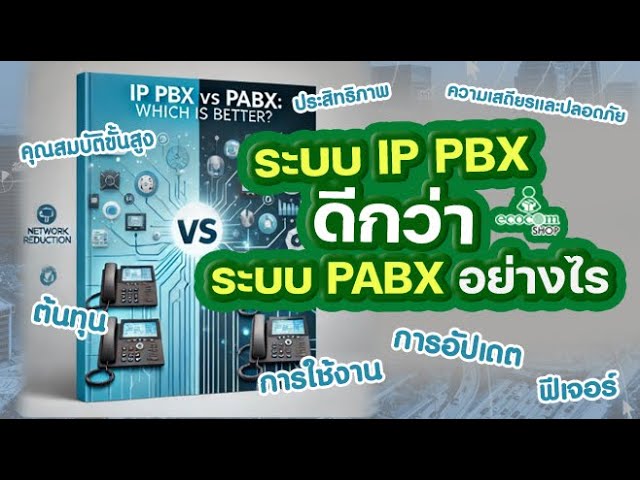
PABX vs IP-PBX: Which Phone System Fits Your Business?
Mar
Communication drives every business, whether you are talking to customers, coordinating teams or negotiating with partners. That makes the office phone system, the “PBX”, essential infrastructure. As the technology moves on quickly, many business owners face the same question when installing or upgrading a phone system: what is the difference between PABX and IP-PBX, and which one gives the best value? This PABX vs IP-PBX guide answers both.
If you want our team to choose and install a system for you, see our PABX / IP-PBX installation service in Pattaya, Chonburi and Rayong.
This guide covers both technologies in detail: how they work, their pros and cons, a side-by-side comparison, and how to decide which suits the size and style of your business.
1. The Basics: What Is a PBX?
Before comparing PABX and IP-PBX, it helps to understand the idea behind a PBX (Private Branch Exchange).
A PBX is a private telephone network used inside an organisation. It acts as the central switch that connects calls. It handles internal calls between colleagues at no charge, and outgoing and incoming calls through a telephone carrier.
Without a PBX, a company with 50 staff might need 50 direct lines, which is very expensive. With a PBX, the company can have just a few main numbers and route calls efficiently to each employee’s extension.
Over time, PBX technology developed into two main types in use today: the traditional PABX and the modern IP-PBX.
2. What Is a PABX (Private Automatic Branch Exchange)?
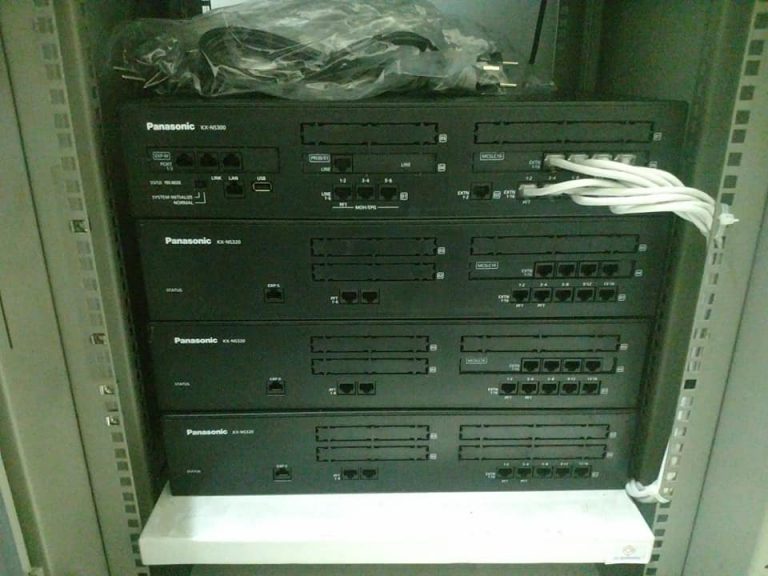
PABX stands for Private Automatic Branch Exchange. It is the traditional analogue or digital phone system that businesses have used for decades. “Automatic” means it switches calls by itself, without an operator plugging cables as in the early days.
How a PABX Works
A PABX uses ordinary copper telephone wire to connect the main unit to each desk phone. The unit sits on the company premises and connects to the public telephone network (PSTN) through external phone lines.
Advantages of a PABX
- Very stable: copper wiring and dedicated hardware give stable voice quality that does not depend on internet speed.
- Works during power cuts: with a UPS, the system keeps running. Some systems can still receive direct external calls without power, so you do not miss important calls.
- Familiar and easy to use: most staff already know how to use it, with no new software to learn.
- Low hacking risk: because it is not connected directly to the internet, the chance of a cyberattack is very low.
Disadvantages of a PABX
- Limited scalability: adding lines or extensions usually means buying expansion cards. If the unit is full, you need a new one, which is costly and inconvenient.
- Cabling and maintenance costs: new phone points or moving desks means running new copper cable, which takes time and technician fees.
- Limited features: functions are usually limited to calling, transferring and holding. It is not easy to connect to modern software.
- Expensive inter-branch and international calls: calls between branches in other provinces or abroad are charged at normal carrier rates.
3. What Is an IP-PBX (Internet Protocol Private Branch Exchange)?
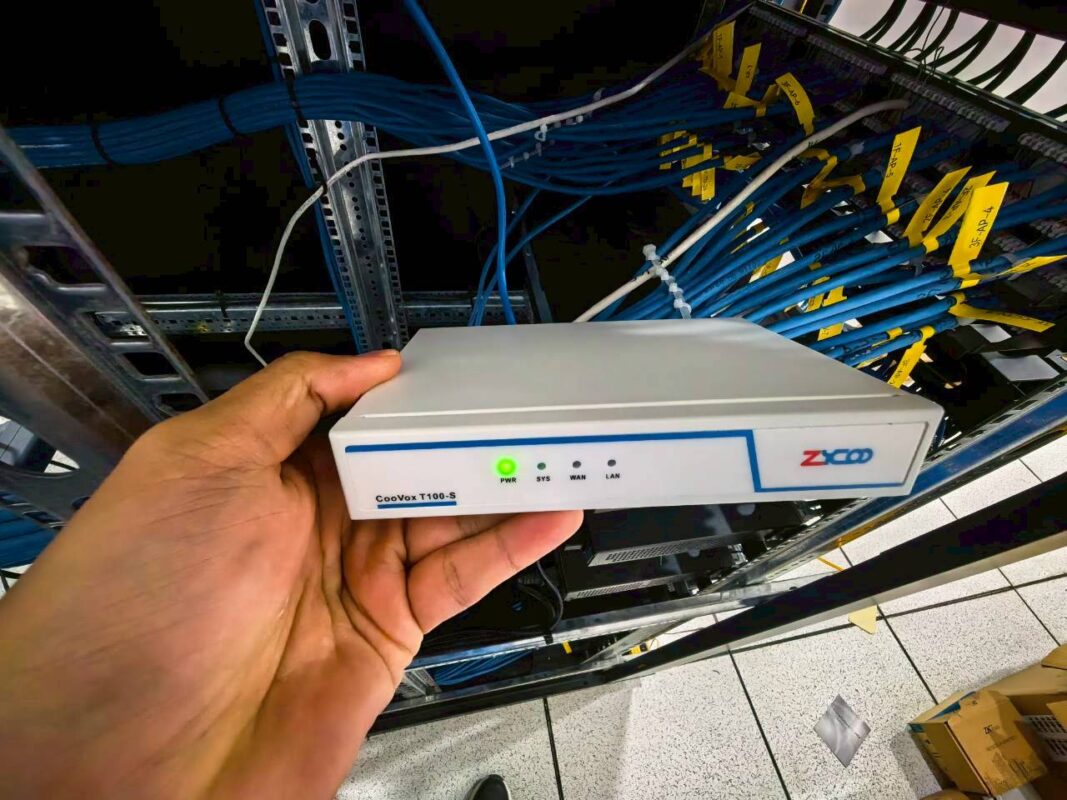
An IP-PBX is a phone system that runs on an IP network. It uses VoIP (Voice over IP) to turn voice into data packets and send them over the LAN or WAN instead of traditional copper phone lines.
How an IP-PBX Works
An IP-PBX uses the same LAN cabling as your computers, or connects over WiFi. Desk phones are IP phones, and you can also use softphone apps on computers, tablets and smartphones. External calls go through a SIP trunk over the internet, or through a gateway to ordinary phone lines.
Advantages of an IP-PBX
- Lower call costs: branches connected over your network can call each other for free, and international calls over a SIP trunk are much cheaper.
- Lower installation and maintenance costs: no separate phone cabling is needed, because IP phones share the LAN with computers. If someone moves desk, they just plug the IP phone into a LAN point at the new desk and their extension follows.
- Highly scalable: adding extensions is a software setting, with no extra hardware cards as with a traditional PABX.
- Rich, modern features: enterprise functions such as an auto-attendant (IVR), call recording, audio and video conferencing, and voicemail to email.
- Remote work from anywhere: staff can make and receive calls on the office number through a mobile app wherever there is internet.
- Integration: it can connect to CRM, ERP or helpdesk systems to show customer details on screen as soon as a call comes in.
Disadvantages of an IP-PBX
- Needs good backup power: switches, routers and the IP-PBX server need a reliable UPS. If the power fails and the network stops, the phones stop too.
- Depends on network and internet quality: if the LAN has problems, or the internet goes down when you use SIP numbers, calls are affected immediately. Voice may stutter or lag without enough bandwidth.
- Needs IT network skills: setup and basic troubleshooting need someone with computer-network knowledge, not just a general phone technician.
4. PABX vs IP-PBX: Side-by-Side Comparison
| Criteria | PABX (analogue/digital) | IP-PBX (network-based) |
|---|---|---|
| Cabling | Separate copper phone cable (RJ11) | LAN cable (RJ45) shared with computers, or WiFi |
| Scalability | Difficult and costly; needs extra circuit cards | Very easy; done in software |
| Moving desks | Technician must re-patch or re-cable at the PBX | Plug the phone into a new LAN point; the extension follows |
| Calls between branches | Normal carrier rates (external calls) | Free over your network (VoIP) |
| Remote work | Not supported, or needs paid call forwarding | Fully supported via softphones on mobile or laptop |
| Advanced features (e.g. CRM) | Not supported, or difficult with costly licences | Well supported, with APIs for easy integration |
| Dependence on power and internet | Very stable, little dependence on power, no internet needed | Needs stable power and a stable LAN/internet |
| Maintenance | Needs specialist phone technicians (increasingly hard to find) | Can be managed by your IT team alongside computers |
5. PABX or IP-PBX: Which Should You Choose?
There is no one-size-fits-all answer. It depends on the size of your organisation, your budget, how people work and your existing infrastructure. These scenarios can help you decide.
If you would like our team to assess your site and design a system for your office, hotel or factory, see our IP-PBX design and installation service.
Scenario 1: Choose a Traditional PABX When…
The PABX is not dead. It still suits some businesses:
- Mid-size to large hotels or resorts with existing copper cabling. If an older building already has phone cable to hundreds of rooms, replacing it all with LAN for an IP-PBX may cost too much. Maintaining the existing PABX or upgrading to a hybrid PBX may be better value.
- Sites with poor internet. Factories or branches in remote areas with unstable internet or poor power can rely on landlines through a PABX, so they are not cut off when the network fails.
- Very small businesses without IT staff. If your office has only 5 to 10 people working at their desks and no IT department, a small PABX may be a simple, low-maintenance investment.
Scenario 2: Choose an IP-PBX When…
For businesses today and tomorrow, an IP-PBX is a strong long-term investment, and a must in these cases:
- Opening a new office or relocating. This is the perfect time to start fresh. An IP-PBX saves a great deal on copper cabling, because one LAN run serves both computers and phones.
- Multi-branch businesses. Every branch works as if it were in the same building. Calls between branches are free and transfers between branches are instant, cutting phone costs from day one.
- Work-from-home policies or staff often on the road. Sales and support teams can answer calls to the company number on their own smartphones wherever they are, so no opportunity is missed.
- Call centres and customer service. An IP-PBX includes queues, call recording, real-time call status and CRM integration to raise service quality.
6. Migrating From PABX to IP-PBX: Tips and Pitfalls
If you have used an analogue system for years and decide it is time to move to IP, you do not have to replace everything in one day. For a smooth transition:
- Network assessment: check whether your LAN can carry voice traffic well, and whether your switches support PoE (Power over Ethernet) to power IP phones directly.
- Consider a hybrid PBX: if you still have hundreds of analogue phones in good working order, a hybrid PBX supports both traditional lines and IP. You can upgrade department by department without replacing every phone at once.
- Plan security: once phones are on the computer network, firewall settings, intrusion prevention and VLANs that separate voice from data are essential to prevent toll fraud.
- Train users: moving from simple keypad phones to IP phones or softphones can meet resistance, especially from long-serving staff. Show people the benefits and convenience they will get.
7. The Future: Beyond IP-PBX to Cloud PBX and UCaaS
IP-PBX is an excellent technology, but the next step is already here: Cloud PBX, also called hosted PBX. The IP-PBX runs on a provider’s cloud servers, so you no longer need a PBX server in your office. You pay monthly or yearly per actual user (“pay as you grow”).
Phone systems are also merging into UCaaS (Unified Communications as a Service) platforms, which combine calls, chat, video meetings and file sharing in one app. Well-known examples include Microsoft Teams and Zoom Phone.
Summary: Making the Right Decision
Choosing between PABX and IP-PBX is a strategic decision that affects productivity and costs.
- If your business is in an area where IT infrastructure is not ready, or you have sound existing copper cabling, keeping a PABX or upgrading to a hybrid may be the safest choice.
- If your business is growing, has several branches, works flexibly and wants to stay competitive, an IP-PBX (or Cloud PBX) is an investment in the future. It can pay back through lower call costs and higher productivity.
Decide based on your business context. The best technology is not the newest or the most expensive. It is the one that fits your organisation’s needs.
If you are working out how many lines, extensions and features you need, read our guide on how to choose the right PBX phone system. For a real installation, see our IP-PBX installation team in Pattaya, Chonburi and Rayong and our Yeastar IP-PBX solutions.
Need a new phone system? Call 033-265-438, 096-246-2324, LINE @Nicesystem (include the @), or contact us online. We serve Pattaya, Chonburi, Rayong and the Eastern Seaboard.